On this page · 7 sections
- A 3D configurator lets buyers set size, options and colour and see the price change.
- Parametric beats static: any size, no re-modelling per option.
- Ask what happens after the request: quotes, follow-ups, production sheets.
- Agency builds typically cost €10,000–€40,000; purpose-built SaaS a few hundred euros a month.
- Check EU hosting and a processor agreement before launch.
A 3D product configurator lets a website visitor set the size, options and colour of a product, see it change in 3D and send a request or see a price. For pergolas, verandas, carports and similar outdoor structures, a parametric SaaS configurator is the sensible buy unless you have a dedicated development team. This guide gives you the questions to ask a vendor, the difference between parametric and static 3D, what to check per category, the cost of each route, and the common mistakes.
What is a 3D product configurator?
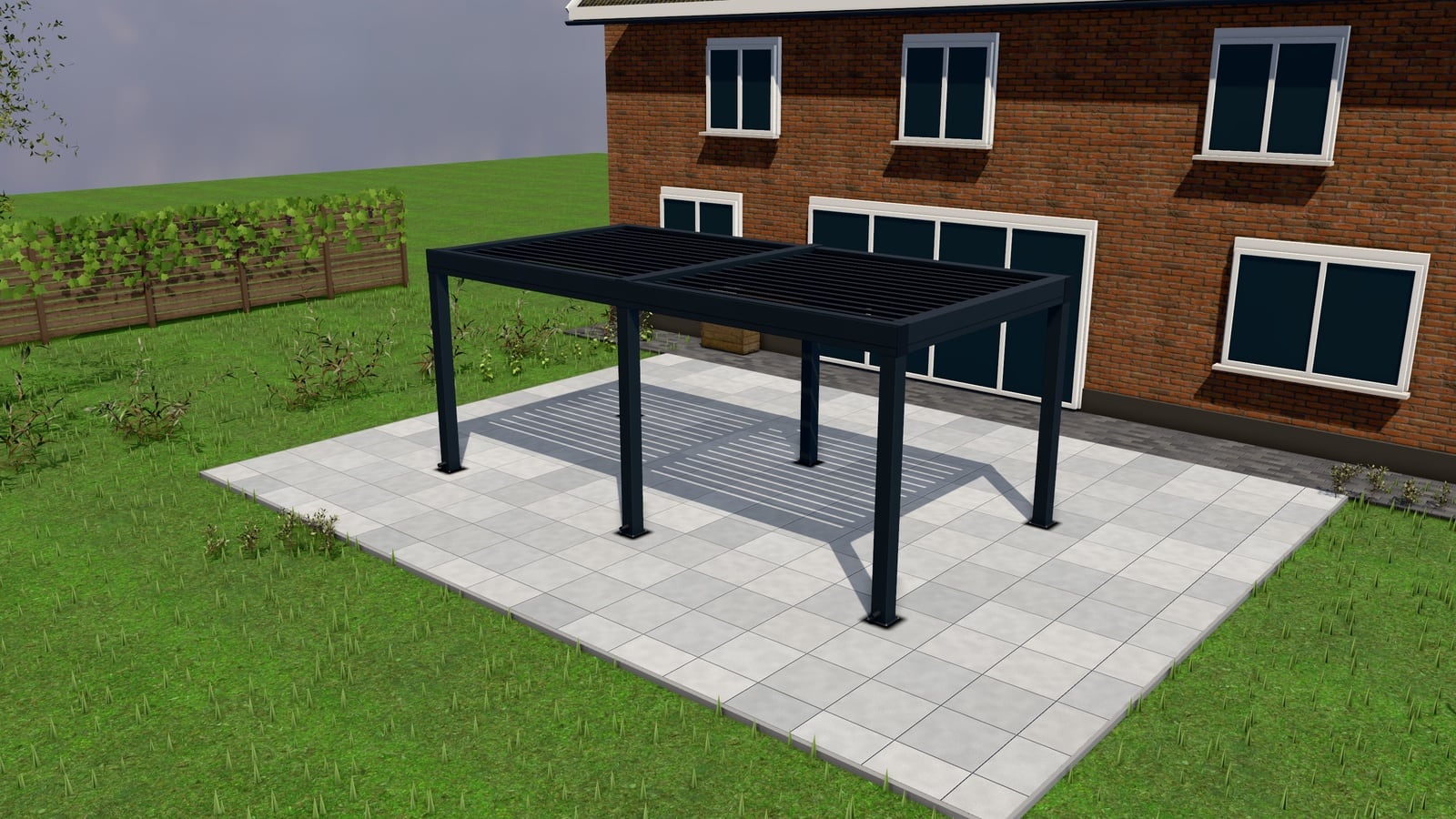
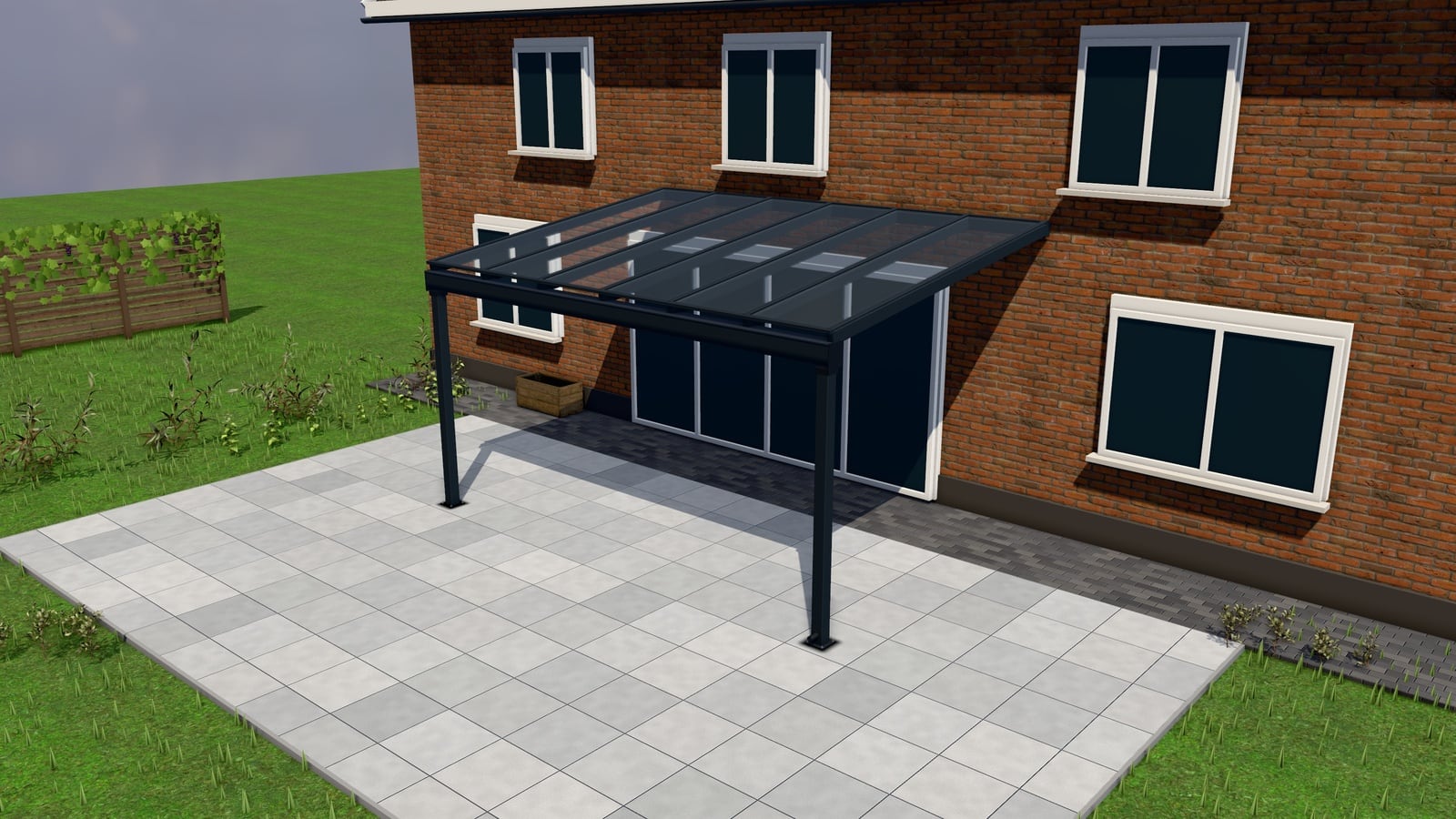
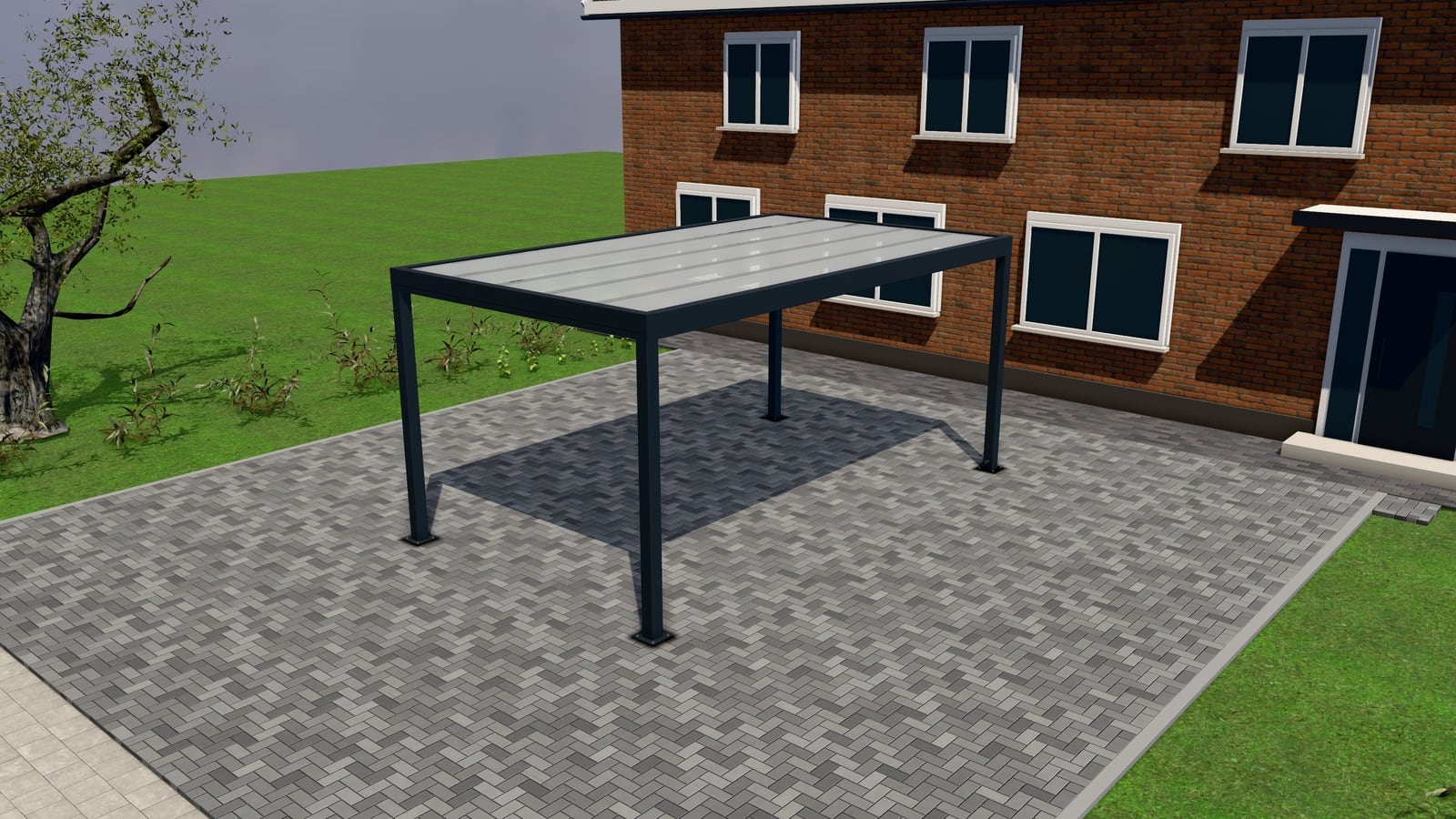
A 3D product configurator is a web tool that renders a product (a pergola, a veranda, a carport) as a 3D model the customer can resize and restyle: width, projection, roof type, colour (often by RAL code), screens, lighting, flooring. As the customer changes a parameter the model updates in the browser, and, if the merchant has switched pricing on, the price updates with it. At the end the customer either buys outright, gets a quote, or sends a request with the exact configuration attached.
That’s the one-sentence version. The rest of this guide is what separates a configurator that gets you qualified requests from one that’s a nice demo nobody finishes.
Questions to ask a vendor before you sign
| Question | Why it matters |
|---|---|
| Is it parametric or a library of fixed renders? | Parametric scales to your real size range; a render library means someone drew every combination by hand and new sizes mean new renders. |
| Can I set live price, “from” price, or quote-only per product? | Not every product should show a number; you need the choice, not a single mode. |
| What happens after the customer clicks “request”? | A good answer includes a pipeline/CRM, not just an email to your inbox. |
| Can customers attach site photos and book a measuring visit in the same form? | Saves a phone call before you can even quote. |
| Does it produce a numbered quote with a PDF and an online page? | Email quotes get lost; numbered, trackable quotes don’t. |
| What follow-up happens automatically? | Unanswered requests and opened-but-unsigned quotes are where deals die; ask if the system nudges on its own. |
| Does it output production documents (BOM, cut list, work order)? | Otherwise your production team re-enters everything from the quote. |
| Can I embed it on my existing site, or does it need a new domain? | Changes migration cost and SEO risk. |
| What languages does it ship in? | Ours: 9 shop languages (EN, NL, DE, FR, ES, IT, PT, PL, SV) and an admin in EN, NL, DE, FR or PL; ask any vendor what’s missing for your market. |
| Where is customer data hosted, and is there a processor agreement? | GDPR exposure if customer photos and contact details sit outside the EU without one. |
| Is AR / photo-in-situ included or a paid add-on? | Affects whether you can show it on day one. |
| What’s the real all-in monthly cost, including per-quote or per-lead fees? | Some vendors meter by lead; that changes the economics as you scale. |
Keep this table next to you on the first vendor call. A vendor who can’t answer the pricing and hosting rows crisply is a vendor you’ll be chasing later.
Parametric vs static 3D: the difference that matters most
Two things get sold as “3D configurator” and they are not the same product.
Static 3D is a library of pre-rendered images or fixed 3D scenes for a limited set of combinations. Say, five widths and three colours. It looks identical to parametric on the first screenshot. The difference shows up the moment a customer wants a size you didn’t pre-render, or you add a new colour and have to wait for new renders. It’s cheap to build for a narrow catalogue and painful to extend.
Parametric 3D generates the model from rules: width, projection, roof pitch and post position are variables, not pre-baked choices. The customer can set 3,200mm instead of the 3,000mm you anticipated, and the model, the bill of materials and the price all follow the rule, not a lookup table. This is what makes “add a new RAL colour” a settings change instead of a modelling job.
For outdoor structures (pergolas, verandas, carports, garden rooms, fences and gates, awnings, terrace covers, doors and windows) sizes are continuous and option combinations multiply fast. A parametric engine is the only approach that doesn’t need re-modelling every time you add an option. Next Configurator ships 120 ready parametric models across these categories for this reason; see how the 3D configurator works.
What to look for, category by category
Sizes and options. The model should take your real size ranges (not rounded demo numbers) and the options you actually sell: louvred or fixed roof, glass or polycarbonate, zip screens or sliding glass, RAL colour, lighting, heating. If a vendor’s demo only shows three sizes, ask how new sizes get added.
Price modes. Three modes cover almost every outdoor-structure business: live price (shown instantly), “from” price (a floor, to filter tyre-kickers, with the exact number following by quote), and quote-only (no price shown at all, common for premium or bespoke ranges). You should be able to set this per product, not store-wide. A carport line might show live prices while a bespoke garden room stays quote-only.
The request form. At minimum: name, email, phone, and the full configuration attached. Better: optional site photos (capped, re-encoded server-side so EXIF/GPS metadata doesn’t leak) and a measuring-visit slot booked straight off a calendar. Both cut a round of back-and-forth before you can quote accurately.
Quotes. A numbered quote (not “quote-20261005-final-v2.pdf” in an inbox), ideally with Basic/Comfort/Premium options so the customer compares instead of asking you to requote, a PDF, an online quote page the customer can open and accept, e-signature, and deposit collection.
Follow-ups. The single biggest reason quotes die isn’t price, it’s silence. Look for automatic handling: an unanswered request becomes a task and alerts staff, an opened-but-unsigned quote gets a reminder, an expiring quote gets a nudge. This should happen without someone remembering to check a spreadsheet.
Production documents. The configuration a customer builds should turn into a bill of materials, a cut list, a work order and an installation checklist without anyone retyping dimensions. This is where configurators pay for themselves on the back end, not just the front end.
Embed. A one-line embed on your existing WordPress, Shopify or Webflow site (or any other site) should be a copy-paste job, not a replatform. See how to embed a configurator in WordPress, Shopify or Webflow.
Languages. If you sell across borders, check which languages are supported out of the box versus needing custom translation work.
GDPR and hosting. Customer photos, addresses and contact details are personal data. Ask where it’s hosted (EU hosting matters for simpler compliance), whether there’s a data processing agreement, and how long data is retained. The full list is in our GDPR checklist for configurator hosting.
AR. Augmented reality (AR Quick Look on iOS, Scene Viewer on Android, via GLB/USDZ files) lets a customer place the 3D model on their own terrace through their phone camera. Nice to have, not the thing that closes a deal by itself. See AR on the customer’s terrace.
Build vs buy
Three paths exist, and they cost very differently.
Agency build. A web agency or freelance 3D developer builds you a bespoke configurator on top of a 3D library (Three.js, Babylon.js or similar). Realistic cost: €10,000–€40,000 for a first version covering one or two product lines, plus ongoing hosting and a monthly retainer for changes, bug fixes and new options. You own the code (if the contract says so) but you also own every future change request, and “add a colour” or “fix this on Safari” goes through the same billing cycle as the original build.
Enterprise CPQ. Configure-Price-Quote platforms built for industrial and B2B sales (not outdoor-structure specific) start around €50,000 a year in licensing, plus implementation. These are built for complex B2B sales processes with approval chains and ERP integration. Overkill for most installers and dealers, and the outdoor-structure-specific pieces (production sheets, measuring visits, AR on a terrace) aren’t native to them.
Purpose-built SaaS. A subscription product built specifically for this trade. Typical range: a few hundred euros a month, all-in. The full breakdown is in what a product configurator costs.
nextconfiguratorNext Configurator is one plan: €499 a month or €4,999 a year (excl. VAT), every feature included, 14-day free trial, no setup fee, cancel monthly. See pricing.
The honest trade-off: an agency build gives you something no competitor has, at a price and timeline that only make sense if the configurator is your whole business model. For most pergola, veranda, carport and garden-room sellers, the categories above (parametric sizing, quotes, follow-ups, production sheets) are solved problems. Buying them is cheaper and faster than re-solving them, and the SaaS vendor keeps improving the product you didn’t have to build.
Time to live
An agency build realistically takes 2–4 months for a first working version, longer if your product range is wide. Enterprise CPQ implementations commonly run 3–6 months with a systems integrator. A SaaS configurator built from a template takes minutes to assemble and an afternoon to price and name your options correctly. Most companies are live within the week. If you want to see this rather than take our word for it, you can build your configurator yourself, browse the 120 ready models, or try the live demo.
Common mistakes
Buying for the demo, not the data model. A flashy 3D render on a vendor’s call site doesn’t tell you whether it’s parametric or static, or whether your actual size range and options are supported. Ask to configure your real product, with your real sizes, before you sign.
No plan for what happens after the request. A configurator that only shows a 3D model and emails you a lead has moved the problem, not solved it. The value is in what happens next: pipeline, quote, follow-up, production.
Ignoring hosting and data location. Customer photos and addresses flowing through a configurator are personal data under GDPR. Confirm hosting location and get a processor agreement in writing before launch, not after a data request from a customer.
Underestimating the cost of changes. The sticker price of an agency build is rarely the real cost. Ask explicitly what a colour addition, a new size range, or a bug fix costs and how long it takes, both in money and in calendar time.
If you want the short version of any of these: cost brackets are in what a product configurator costs, free design tools are covered honestly in what free pergola design software can’t do, and the trade-off between buying and building gets its own comparison table in SaaS configurator vs agency build. Or book a 30-minute walkthrough with people who run an aluminium veranda wholesale business themselves.