AR previewLive
See it on their terrace, before they ask
AR preview lets customers view a configured pergola, veranda or carport in augmented reality on their terrace, or overlay it onto a garden photo before quoting.
14-day free trialLive in about three minutes
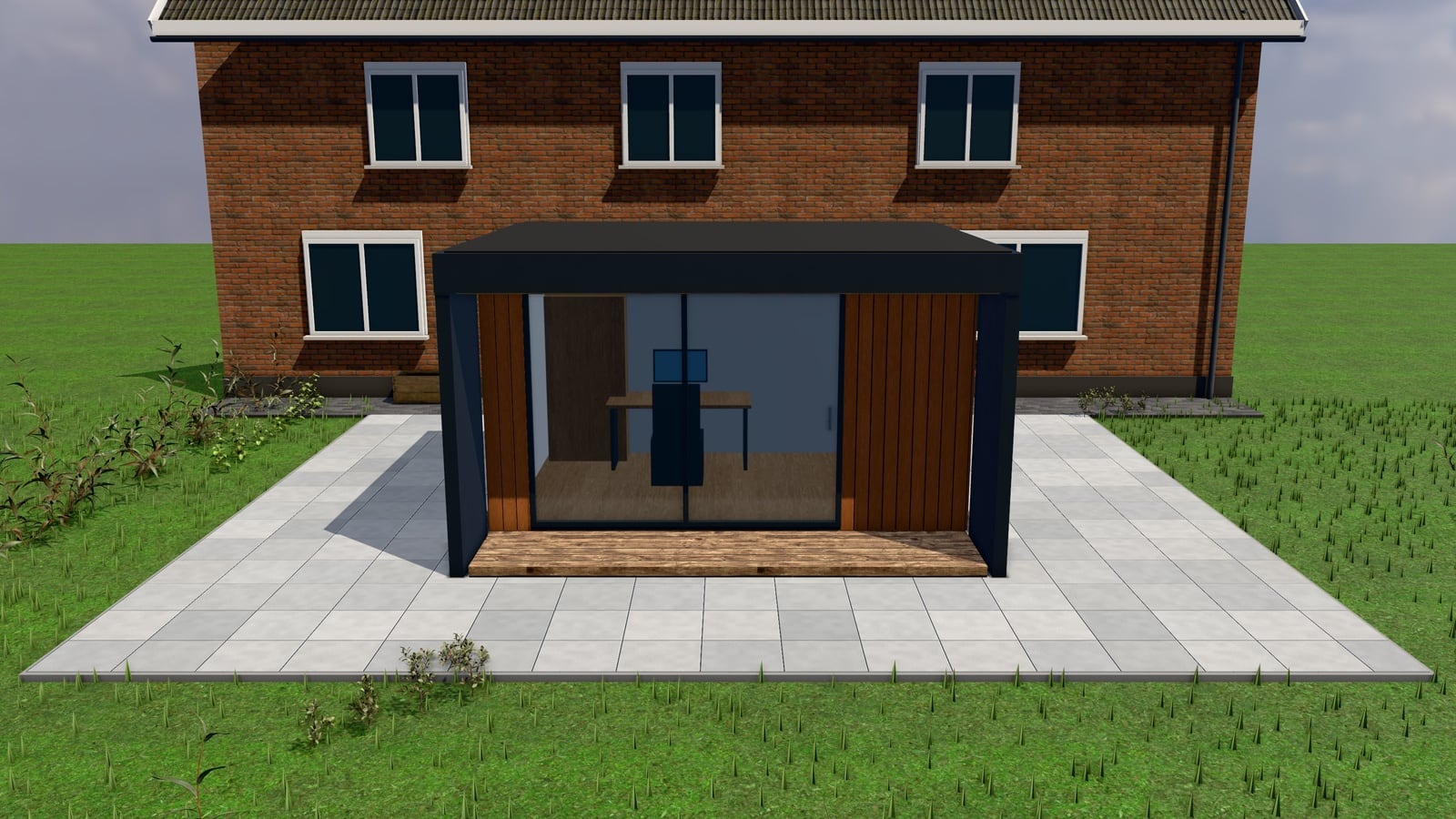
True scale on their terrace
The phone places the exact configuration in the camera view: GLB on Android, USDZ on iPhone.
No app to install
It opens in the phone’s built-in AR viewer, straight from the configurator.
Photo-in-situ as a fallback
No AR on the phone? The customer uploads a garden photo and sees the design placed onto it.
Same design, same request
Size, roof, colour and options carry through, and the request form is one tap away.
How it works
In 5 steps
- The customer configures their product (size, roof type, colour, options) same as any other request.
- They tap the AR option; the configurator exports the current configuration as GLB (for Android’s AR viewer) or USDZ (for iOS Quick Look).
- Their phone opens the native AR viewer and places the structure at true scale against the camera view of their own terrace.
- Alternatively, with photo-in-situ, the customer uploads a photo of their garden or terrace; the configuration is composited onto it to show scale and colour against the real background.
- They continue to the request form from either view, with the configuration already attached.
See it with your product
We set up a configurator with one of your products and walk you through it in 30 minutes.
Book a walkthroughOr build it yourself: Start 14 days free
AR preview and photo-in-situ let a customer place their exact 3D configuration in augmented reality on their own terrace (GLB for Android, USDZ for iOS) or overlay it onto a photo they take of their garden, so they see the real scale and look before submitting a request.
What it is
A 3D model on a screen still asks the customer to imagine it at real scale, against their actual house or garden. AR preview exports the exact configuration as a GLB or USDZ file their phone can place in the real world through the camera; photo-in-situ takes a photo the customer provides and overlays the configuration onto it. Both use the same configuration the customer already built. Not a generic stock render.
Why it matters for an installer
“How big is that actually going to look against my house?” is one of the most common hesitations before a request gets submitted. Seeing the real structure at true scale, in the actual space, answers that without a site visit, and customers who’ve seen it in AR or in-situ tend to arrive at the request form with the hesitation already resolved rather than needing it talked through on a call.
| Screen-only 3D view | AR / photo-in-situ |
|---|---|
| Customer imagines real scale | Phone places the model at true scale on site |
| Generic background | Customer’s own terrace or garden photo |
| Scale questions handled on a call | Answered before the request is submitted |
Where this fits
AR and photo-in-situ sit on top of the same 3D configurator. No separate product setup is needed. See it in the context of a specific product on pergolas or garden rooms, check pricing, or book a 30-minute walkthrough.
Questions, answered
Still deciding? We'll walk you through it with your own product.
Book a walkthroughDoes the customer need an app to use AR?
No. GLB opens in Android’s built-in AR viewer and USDZ opens in iOS Quick Look, both through the phone’s camera without a dedicated app.
What if a customer's phone doesn't support AR?
Photo-in-situ is the fallback: they upload a photo of their space and see the configuration composited onto it, which works on any device with a camera or photo library.
Is the AR model the exact configuration they built, or a generic one?
The exact one: size, roof type, colour and options carry through to the exported GLB/USDZ or the in-situ overlay.
Do photos used for photo-in-situ get stored?
Customer-supplied photos go through the same safe-image handling as other uploads in the system, decoded, checked and re-encoded.
Live in three minutes. Yours for €499 a month.
14 days free, then one plan with everything in it. Live in about three minutes. Cancel any month.