WhatsAppLive
Let them WhatsApp the exact design they built
A floating WhatsApp button on the storefront, plus an "ask about this design" link that carries the customer's exact configuration straight into the chat.
14-day free trialLive in about three minutes
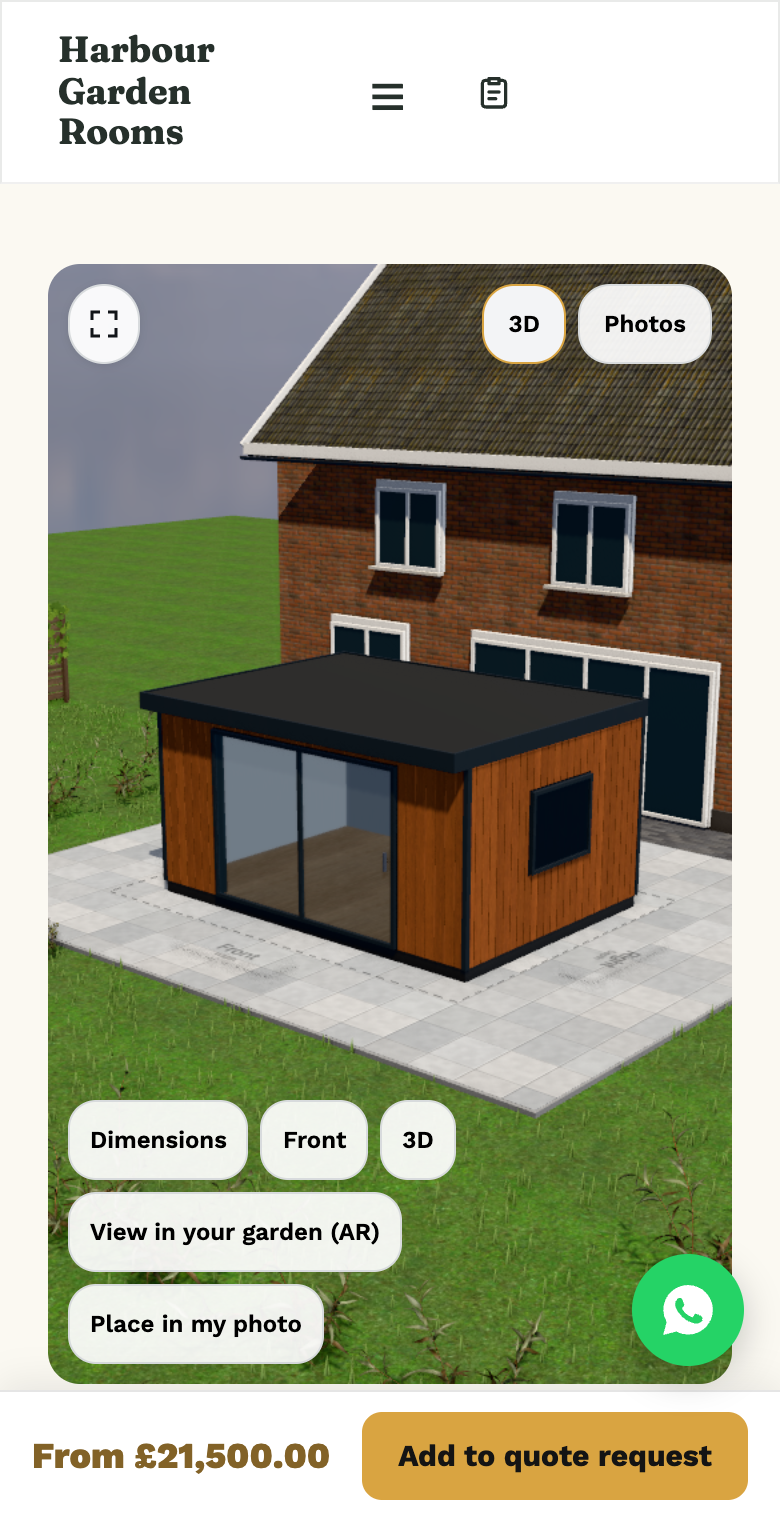
Real configurator of a demo store
A button on your storefront
A floating WhatsApp button on your storefront pages, switched off automatically inside embeds.
Ask about this design
Halfway through configuring, the customer opens WhatsApp with a link to their exact design already in the message.
You see what they built
Open the link and you get the same sizes, options and colour, like a saved configuration.
No API account needed
A standard wa.me link to your own number. Leave the number blank and nothing shows.
How it works
In 5 steps
- Set your WhatsApp number in Settings; the system normalises local numbers for your store’s country.
- A floating WhatsApp button appears on storefront pages (it’s hidden automatically inside embedded configurators on other sites, where it would be out of place).
- While configuring, the customer can tap “ask about this design,” which opens WhatsApp with your number and a share link to their exact configuration already in the message.
- You open the chat, click the link, and see precisely what they built. Same as opening a saved configuration from a quote.
- The quote detail page also surfaces a WhatsApp link to the customer’s number, in their quote language, for quick follow-up from your side.
See it with your product
We set up a configurator with one of your products and walk you through it in 30 minutes.
Book a walkthroughOr build it yourself: Start 14 days free
The WhatsApp feature adds a floating WhatsApp button to the storefront and an "ask about this design" link inside the configurator that opens a chat with the merchant's number pre-filled, carrying the customer's specific configuration along with it.
What it is
Plenty of customers would rather send a quick WhatsApp message than fill in a form, especially with a question mid-way through configuring. This feature puts a WhatsApp button on the storefront and a specific “ask about this design” link inside the configurator itself, so the question arrives with the configuration already attached. Not “hi, I have a question about a pergola.”
Why it matters for an installer
A lot of real buying questions (“can this go wider?”, “what does anthracite look like against brick?”) happen mid-configuration, not after a full form submission. A direct WhatsApp channel catches that moment without losing the configuration context. You’re not starting the conversation from zero.
| Generic WhatsApp number on the site | Ask-about-this-design link |
|---|---|
| Customer has to explain what they’re asking about | Configuration link is already in the message |
| One flat contact channel | Available from both the storefront and the quote detail page |
Where this fits
This sits alongside the 3D configurator and the quote pipeline. A quote’s detail view carries the same customer WhatsApp link. See it in context on pergolas or any industry page, check pricing, or book a 30-minute walkthrough.
Questions, answered
Still deciding? We'll walk you through it with your own product.
Book a walkthroughDoes the WhatsApp button show up inside an embedded configurator on my website?
No. It’s switched off automatically inside embeds, where a floating button from a different site would look out of place; it appears on your own storefront.
What does the customer actually send me?
A WhatsApp message containing a link to their exact configuration, the same share link format used elsewhere in the configurator, so you can open it and see sizes, options and colour.
Do I need a WhatsApp Business API account?
No. This uses a standard wa.me link to your WhatsApp number. No API integration required for this first step.
Can I turn the button off entirely?
Yes. It only appears once you’ve set a WhatsApp number in Settings; leave it blank and nothing shows.
Live in three minutes. Yours for €499 a month.
14 days free, then one plan with everything in it. Live in about three minutes. Cancel any month.